Using Marketo Form for Sequel Event with Separate Registration and Watch Pages
Last updated: October 19, 2026
Implementing Marketo Registration using Form ID without using Marketo Smart Campaigns or Webhooks
This approach allows you to embed a Marketo form in any page and instantly sync any registration from a Marketo form into a Sequel event using form information. This approach should only be used if the recommended webhook route for separate registration and watch pages does not fit.
In order to successfully set up this integration, you will need access to your company's Marketo and Sequel.io accounts:
Log in to your Sequel.io Admin Dashboard and setup the Marketo integration with Sequel
Create a Marketo form within Marketo or use existing one.
Copy the below Marketo Form Integration script and place this script anywhere on your website, ideally in the same place you usually have the Marketo form. This step is only required once, future forms will use the same script. Replace [companyID] with your company ID (found under API details).
Click on "Embed code" of that form. This will provide all the values needed for Sequel.
In the Sequel dashboard, select the event you want to link your Marketo form to, select the Registration tab, and then enable Third-party registration
Select the CRM tab and enter the Marketo form id and Base URL as it appears in your Marketo form embed code.
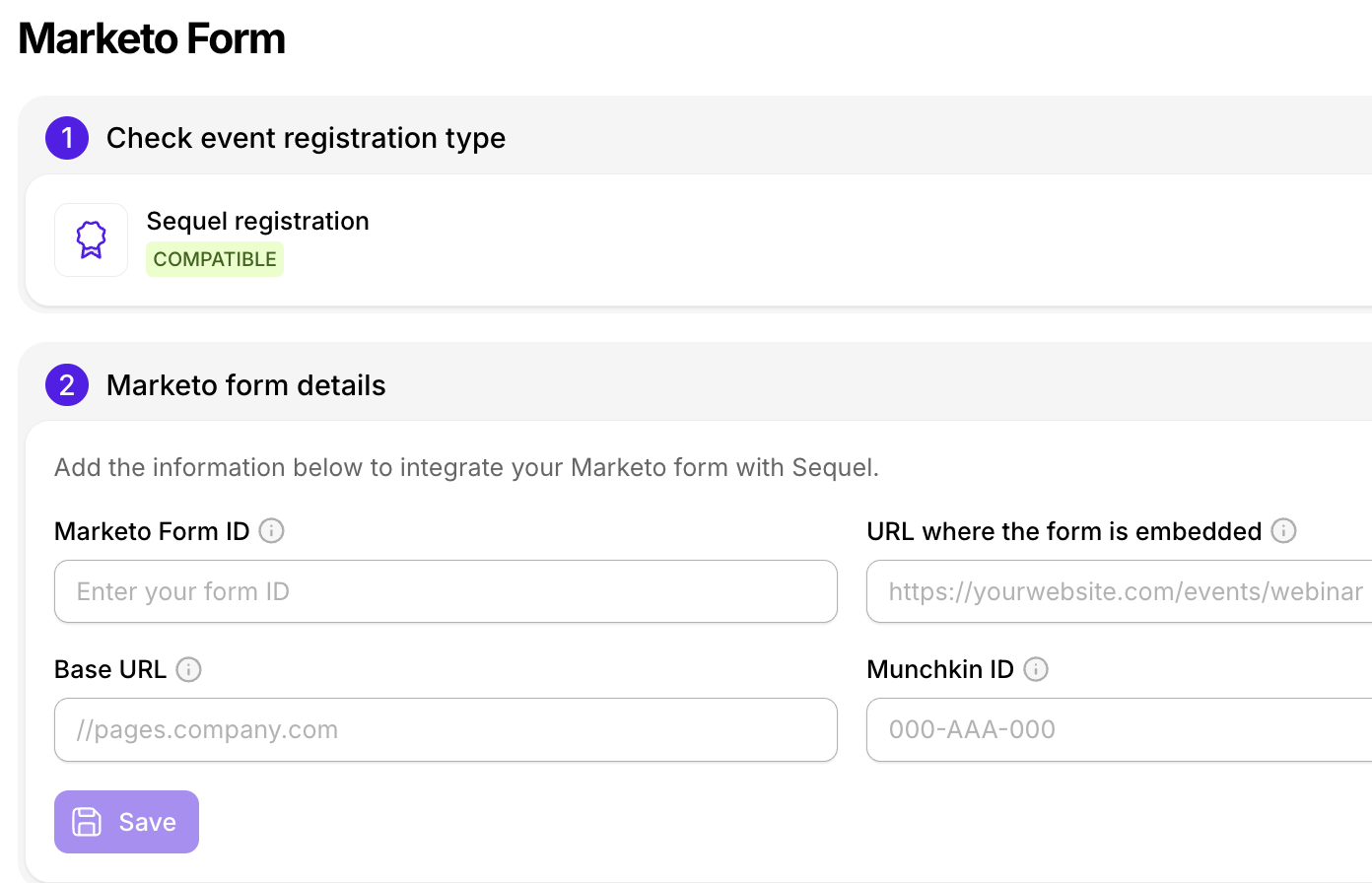
💡 Do you use the same form id for multiple events? No problem! You can set the Marketo Form URL where the form was embedded to register users to the right Sequel event.
Now, only submissions from this form and this url will register users to this Sequel event. This is an optional step for if you use a different form id for each event.
That's it! Registrations will now automatically flow into your Sequel.io event. This includes before, during, and after a live event hosted on Sequel.