Pin a Message in the Event Chat
Last updated: October 19, 2026
As the Host, you can choose any message that has been submitted in the Event, Organizers, and Private chat to be pinned at the top.
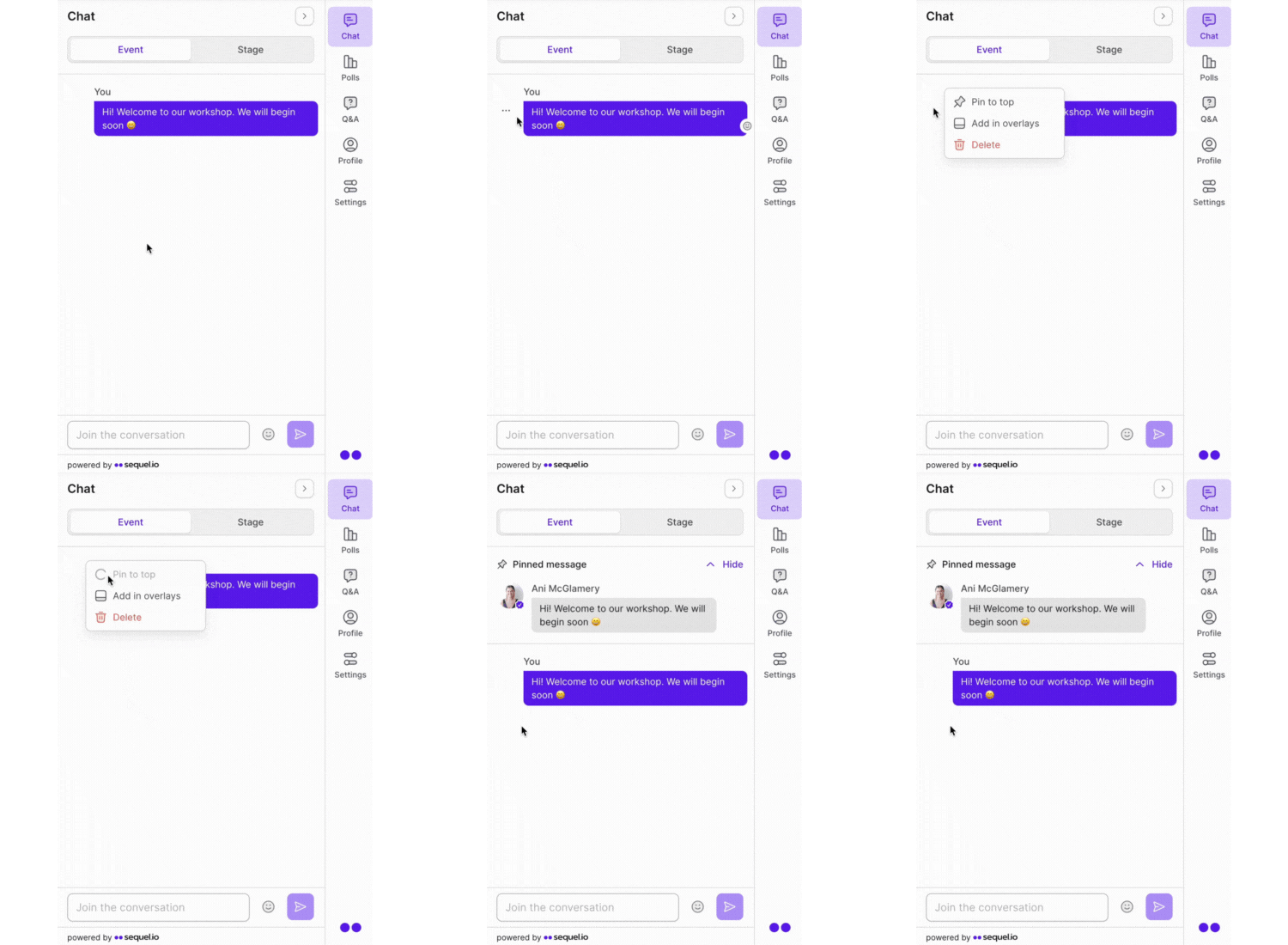
As a Host of an event, you can choose any message from the chat to be pinned at the top. To pin a message, follow these instructions:
Select the three dots next to the message you would like to pin at the top of the chat.
Select Pin to top.
That's it - you have pinned a chat message!
Looking to swap the chat message that is pinned? Simply select the three dots next to the pinned message and select Unpin. From here - follow the above steps to pin a new chat message to the top of the chat!