Thumbnails for on-demand videos
Last updated: November 6, 2026
Choose the image viewers see before your replay or Media Hub video starts playing.
Every on-demand video in Sequel has a thumbnail: the picture viewers see in the player before they press play. Sequel makes one for you automatically, and you can replace it with a moment from the video, your event's banner, or an image of your own.
What viewers see
The Media Hub player shows the thumbnail before playback. The browser tab shows the video's name.
The event replay shows the same thumbnail before playback, so the replay starts with a real picture instead of a blank frame.
Each video has one thumbnail, and it's used everywhere that video plays. If a video is an event's replay and also shared from Media Hub, changing its thumbnail in either place changes it in both.
Automatic thumbnails
You don't have to do anything to get a thumbnail. When you upload a video to Media Hub, or when a live event's recording is ready, Sequel takes a frame from about 20 seconds into the video (earlier for very short videos) and uses it as the thumbnail. It usually appears a few minutes after the video finishes processing.
Automatic thumbnails keep the video's own shape. A vertical (9:16) video gets a vertical thumbnail, and a widescreen (16:9) video gets a widescreen one.
Where to find the thumbnail
You can change a video's thumbnail in two places. Both show the same picker and the same thumbnail.
Media Hub: open the video and scroll to the Thumbnail section at the bottom of the panel.
The event editor: open your event's settings, go to the Media tab, and click Change thumbnail under the event replay.

The label next to the preview tells you where the current image came from:
Label | What it means |
|---|---|
Automatic | Sequel made it from the video. |
Custom | Someone picked a frame or uploaded an image. |
Event image | It's the event's banner image. |
Choose a moment from the video
In the Thumbnail section, click Pick a frame.
Press play, then pause or use the scrub bar to find the moment you want. The 10-second skip buttons help with fine-tuning.
Click Use this frame.
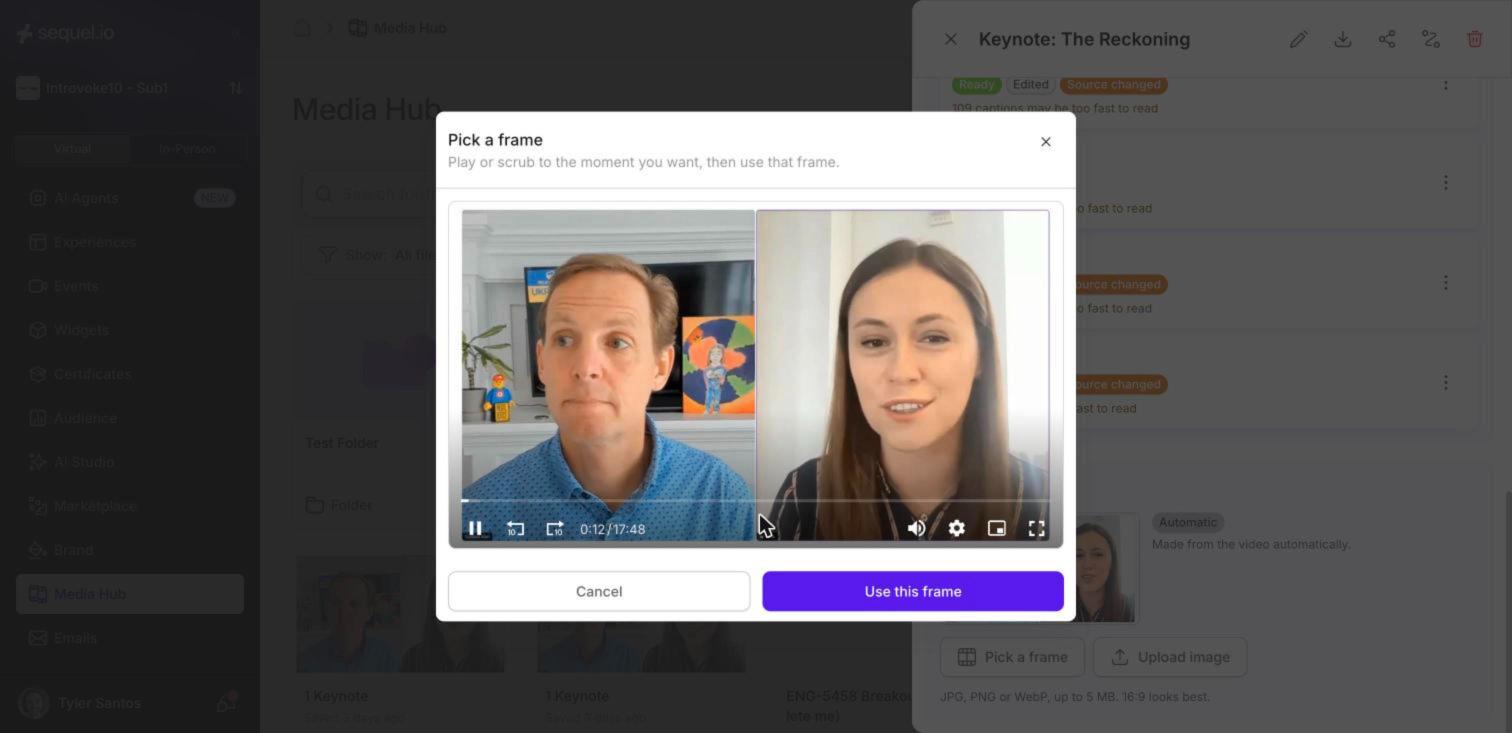
You'll see Thumbnail updated, the label changes to Custom, and a Reset to automatic link appears. If you close the window or click Cancel instead, nothing changes.

Upload your own image
In the Thumbnail section, click Upload image.
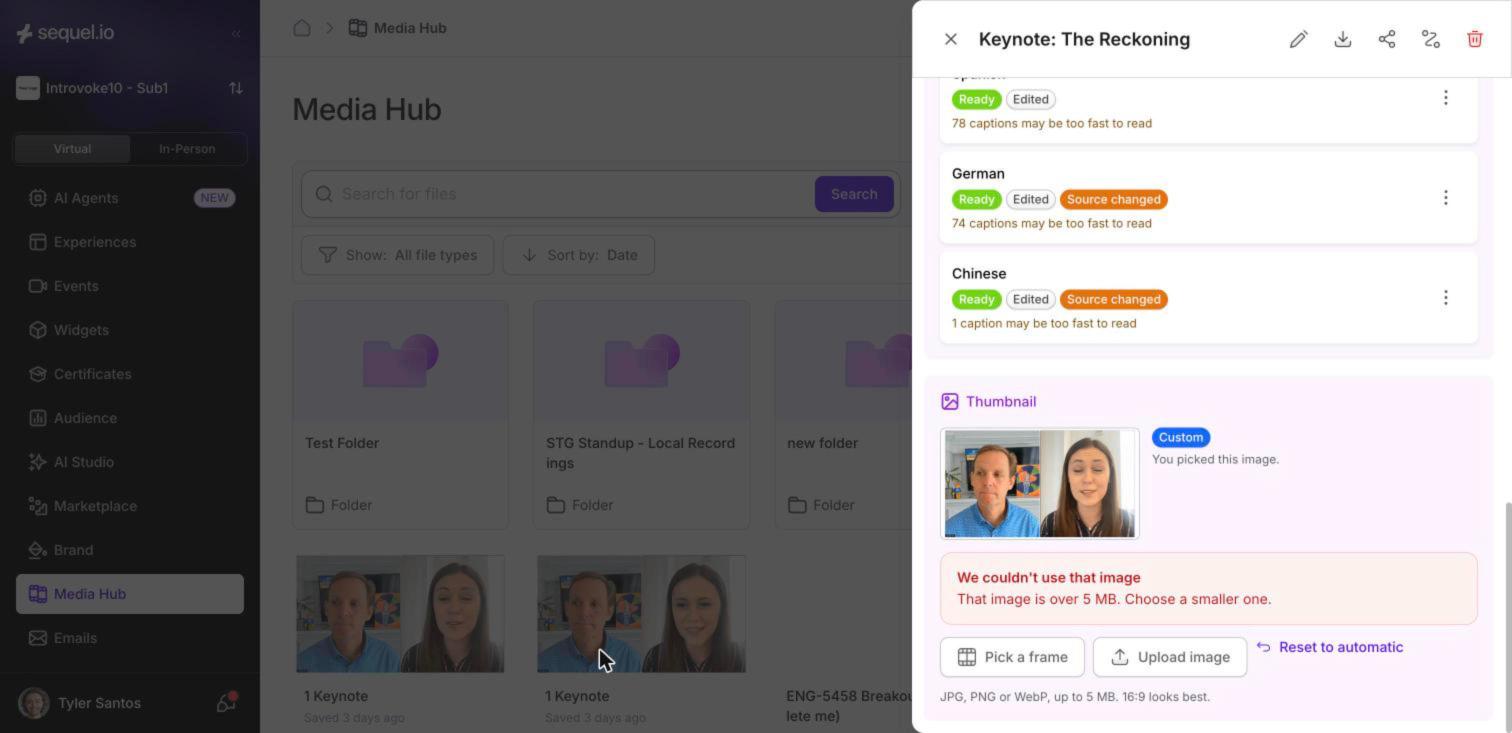
Choose a JPG, PNG or WebP image up to 5 MB. A 16:9 image (for example 1600 × 900 pixels) fits the player best.
The new image shows straight away with the Custom label. If the file is too big or isn't a JPG, PNG or WebP, you'll see a message explaining why, and your current thumbnail stays as it is.
Change the replay thumbnail from your event
If you're already working on an event, you don't need to go to Media Hub.
Open the event's settings and go to the Media tab.
Under Event replay, click Change thumbnail.
Pick a frame, upload an image, or use the event's image.

Use your event's banner
If the video belongs to an event that has a banner image, you can use that banner as the thumbnail. Click Use event image. The label changes to Event image.

Use event image only appears when the event's banner was uploaded in Sequel, on the event's summary page. You won't see it for videos that aren't part of an event, or for events whose banner is set somewhere else.
Go back to the automatic thumbnail
Click Reset to automatic. The label changes back to Automatic and the generated frame returns. The link only shows when a custom image or event image is set.
Good to know
Replays can take a few minutes to update. After you change a thumbnail, the Media Hub player shows the new one the next time the page loads, but the event replay can take up to 5 minutes.
Older videos: some automatic thumbnails made before December 2025 can look stretched. Pick a frame or upload an image to fix them.
Only videos have thumbnails. PDFs, images and audio in Media Hub don't have a Thumbnail section.
No thumbnail at all? A replay without a thumbnail shows the event's picture instead.
FAQ
I changed the thumbnail but the replay still shows the old one.
Replays are cached for up to 5 minutes. Wait a few minutes and reload the page.
Why don't I see "Use event image"?
The video either isn't linked to an event, or the event's banner wasn't uploaded on its summary page in Sequel. Upload a banner there, or upload the image directly with Upload image.
Will changing the thumbnail in Media Hub change my event replay too?
Yes. Each video has one thumbnail, used everywhere it plays.
What size should my image be?
A 16:9 JPG, PNG or WebP under 5 MB. 1600 × 900 or 1920 × 1080 pixels works well.