Embedding Sequel Events in Contentful
Last updated: October 19, 2026
Learn how to embed Sequel on your Contentful pages
You can embed Sequel event streams directly into your Contentful-powered website by using Contentful’s models and sections. This lets visitors watch your live or on-demand events without leaving your site.
Step 1: Understand the Contentful Models
Your Contentful setup includes the following models for building event pages:
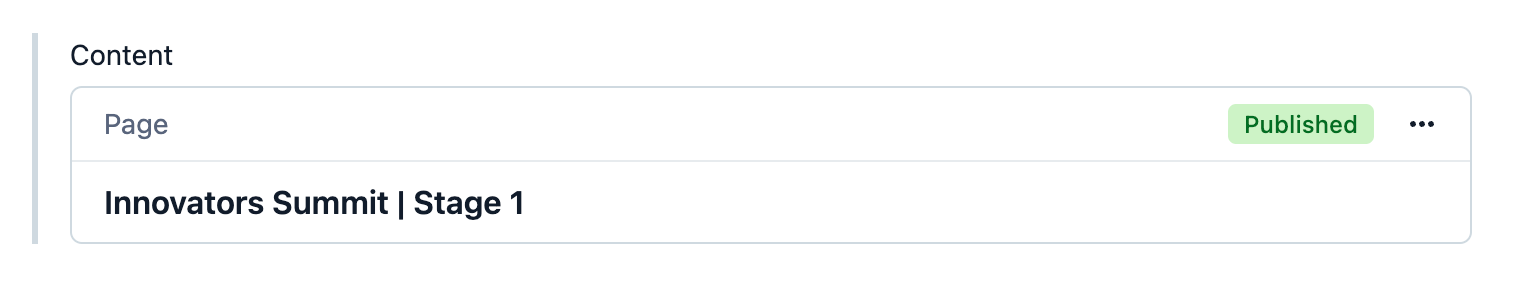
Webpage (
webPage)slug: Unique identifier for the page (e.g.,
example-stage-1).content: References the layout and sections that make up the page.
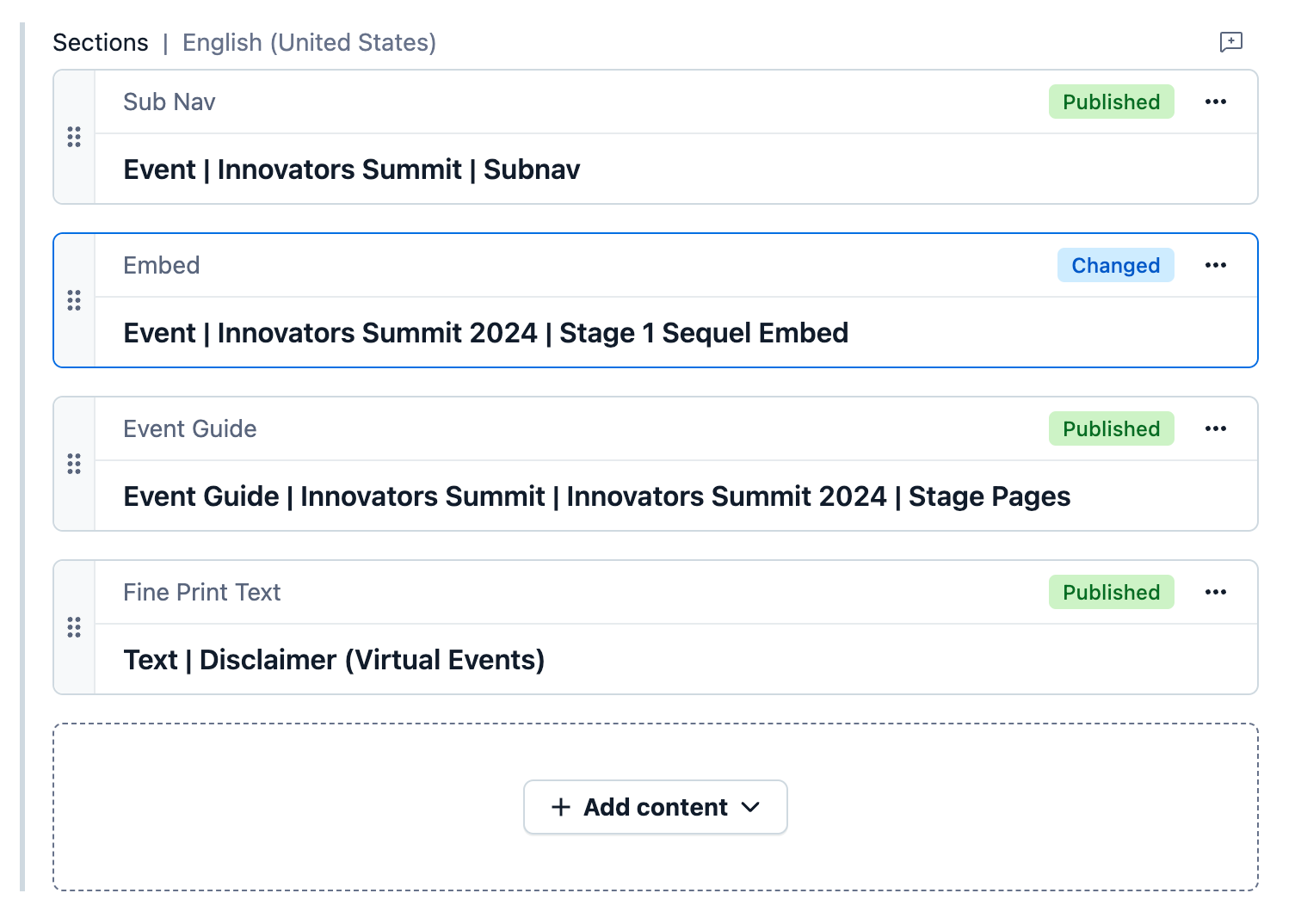
Layout Sections (
layoutSections)sections: A one-to-many reference field where you can add different content types, such as embeds or event guides.
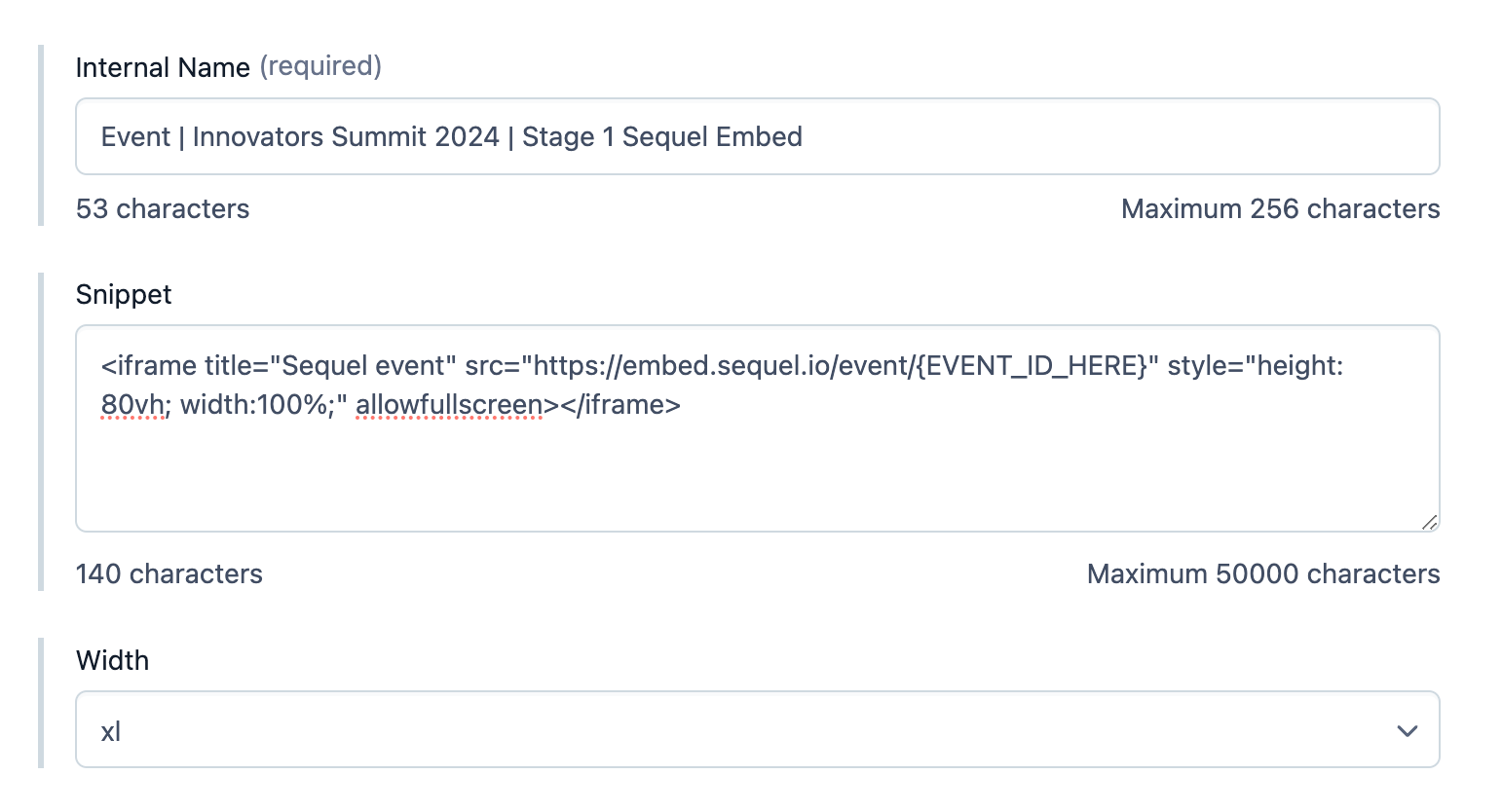
Embed (
embed)Used for adding third-party content like Sequel.
This is where you’ll paste your Sequel iframe.
Step 2: Use the Sequel Embed Template
Here’s the iframe code you’ll need:
Replace
{EVENT_ID_HERE}with your event’s Sequel Event ID (available in your Sequel dashboard).Keep the recommended styling for responsiveness, or adjust to fit your design.
Step 3: Add the Embed in Contentful
Log in to your Contentful dashboard.
Open the Webpage entry for your event (e.g.,
example-stage-1).Under content, select the related Layout Section.
Add a new Embed entry.
Paste the Sequel iframe code from Step 2 into the embed body.
Save and Publish.
Your Sequel event will now render inside that page section.
Step 4: Persist URL Parameters (IMPORTANT)
If you want tracking parameters (like ?ref=campaign) to carry over into the Sequel iframe, you can enable URL parameter persistence with JavaScript in your frontend (e.g., a SvelteKit app):
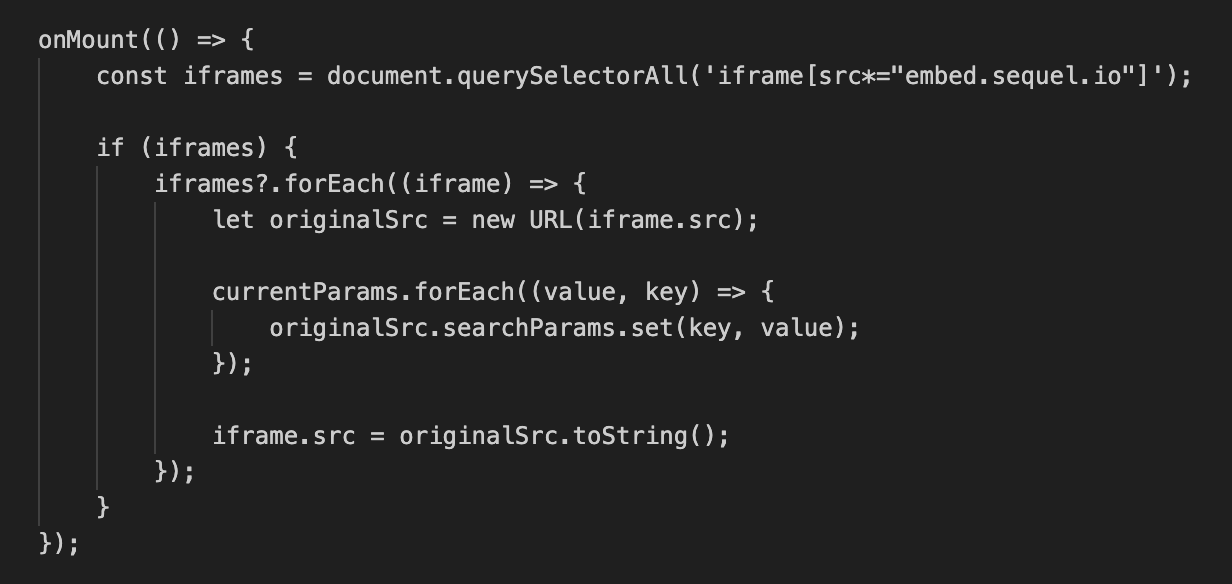
This ensures tracking and session information stays consistent across your event page.
Best Practices
Test the embed in a preview environment before publishing.
Use
width: 100%for full responsiveness.Combine Sequel embeds with event guides or supporting content in your layoutSections for richer experiences.
✅ That’s it! Your Sequel event is now live inside your Contentful page. Visitors can join directly without leaving your site.